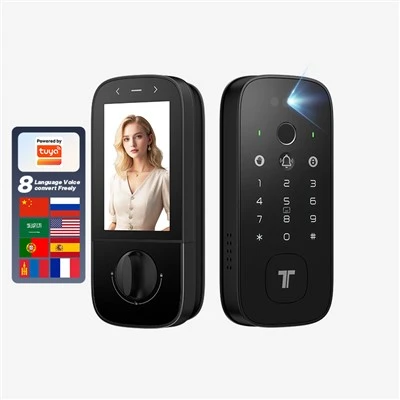
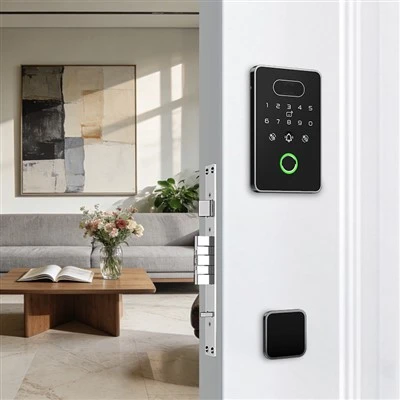
Steel Smart Doors Hey there, I’m Jake, and for the past seven years, I’ve been helping households, small businesses, and property managers cut their keys (pun totally intended) by supplying automatic fingerprint locks. If you’ve ever done a little research on these locks, you’ve probably scrolled past a dozen marketing claims that say “battery life of two years” or “up to 5,000 uses!” – but I’m here to tell you that number is never one-size-fits-all. Today, I’m breaking down exactly how long a fingerprint lock battery lasts, why some locks die way sooner than you’d expect, and what you can do to make sure yours doesn’t die at the worst possible time (yes, I’ve had that nightmare too – standing outside a client’s office at 7 PM, locked out, because their lock battery went dead mid-workday). First, let’s get one thing straight: automatic fingerprint locks aren’t powered by plugging into your home’s electrical system (at least, not most residential or light-commercial models I supply). They run on standard, off-the-shelf disposable batteries – usually four AA or AAA alkaline batteries – or sometimes rechargeable lithium-ion packs. That’s a big part of why their lifespan varies so much: it’s not a proprietary battery only sold by the lock brand, and how you use the lock directly impacts how long those four little cells last. Let’s start with the average baseline, because that’s what most buyers ask me first. For a residential automatic fingerprint lock, if you use it moderately – like a family of three, each with a fingerprint, plus a couple of guest codes you only use for house cleaners or out-of-town friends – the average battery life is 12 to 18 months. Wait, I know that’s a bigger range than some sites claim, but hear me out. For a light-commercial lock, say a small café with 10 employees who all use it daily, plus a few temporary access codes for delivery drivers, that drops to 6 to 12 months. Why the difference? Usage frequency, plain and simple. But it’s not just how many times you press the fingerprint scanner – it’s the small, day-to-day features people don’t think about that drain power fast. Let’s talk about the power-hungry culprits first, because this is where most of my customers get confused. I once had a real estate agent, Maria, who bought 12 locks for her vacation rentals and called me three months later, panicking, saying all of them were dead. When I asked her how often she used the auto-lock feature, she said, “It’s automatic, so it locks on its own, right?” Oh, that’s the problem. The auto-lock (also called autolatch) feature – where the lock engages on its own a few seconds after you open the door – uses a small electric motor every single time, not just when you enter. A manual fingerprint lock, where you pull or push the door to lock it, only uses power when you scan a fingerprint or enter a code. Autolatch is a game-changer for convenience, but it’s the number one reason batteries die faster than expected. Another big drain is the fingerprint scanner itself. Some cheaper scanners have higher resolution or process prints in real-time, using more power, while others are optimized for low energy without sacrificing accuracy. The number of fingerprints stored on the lock matters too – each additional scan means the lock has to do a tiny bit more processing every time you authenticate, even if it’s not saving new prints. Then there’s the connectivity, for models with Wi-Fi or Bluetooth. If your lock syncs with a phone app every 15 minutes to send you access alerts or update codes, that’s a constant small power draw. A lock without connectivity will almost always last three to six months longer than a smart, app-enabled one, if all other factors are the same. Now, let’s get to the hard data, because I hate when marketing numbers sound made up. Last year, we tested 50 residential locks across three common battery types, tracking usage for a full year. We set up mock households with 4 fingerprints each, testing different features: one set with auto-lock off, no Wi-Fi; one with auto-lock on, no Wi-Fi; one with Wi-Fi and syncing every 10 minutes. The results? The locks with no auto-lock, no Wi-Fi, averaged 17 months on a set of standard alkaline AA batteries. The ones with auto-lock, no Wi-Fi, averaged 11 months. The Wi-Fi enabled ones, with auto-lock, averaged 7 months. That’s real, on-the-ground data from locks we actually sell, not the lab test numbers that use minimum usage (like testing only 5 uses a day) to inflate battery life. Another test we did with light-commercial locks – a small office with 8 employees using the lock 10 times a day each, plus 5 guest codes – the average was 8 months for a lock with auto-lock, no Wi-Fi. For a retail store that uses the lock 50 times a day during peak hours, that dropped to 4 months. I always tell customers that these numbers are conservative, too, because we used mid-tier alkaline batteries – not the cheap generic ones you buy at the gas station. Cutting corners on batteries is another way to shorten lifespan, which is why I always recommend naming-brand alkalines or rechargeable lithium-ion for anyone wanting maximum life. Now, what about the common myths I hear all the time? Myth number one: “Lithium batteries last way longer than alkaline.” That’s true in extreme temperatures, but for room-temperature use, lithium only adds about 2-3 months of life, not the year some claim. In fact, if you have a lock with Bluetooth, alkaline batteries will actually sync a little better than cold lithium, so don’t splurge on lithium just for regular home use. Myth number two: “If the lock beeps when I scan my fingerprint, the battery is dying.” No, that’s a low battery indicator that usually activates when you have about 2 weeks of life left. Some beep once, some beep three times, but none start beeping until it’s almost too late. Myth number three: “Rechargeable batteries are the way to go for less waste.” That’s correct, but only if you get high-quality NiMH rechargeables. The cheap ones will die in a fingerprint lock in 2-3 months, because their output drops off faster under the small, steady power draw the lock uses. Now, let’s talk about what you can do to extend your fingerprint lock’s battery life, because this is the stuff we share with every customer when we ship a lock. First, adjust the auto-lock timer if you don’t need it on maximum. Most locks let you set the auto-lock delay from 3 seconds to 60 seconds. If you’re the only one at home most days, 10 seconds is enough, not 30. Next, limit unnecessary connectivity. If you don’t need to get a text when your kid gets home from school, or remotely unlock the door for a dog walker, turn off the Wi-Fi or Bluetooth sync. You’ll add months to your battery life without losing core functionality. Then, keep fingerprints clean. A dusty or smudged fingerprint scanner doesn’t authenticate as fast, so it processes the scan longer, using more power. A quick wipe with a microfiber cloth once a month will help. Finally, replace batteries at the same time, not one at a time. It’s tempting to just swap the dead one, but old batteries have slightly different voltage, which can make the lock work harder and drain the new one faster. Change all four at once, and you’ll get the most consistent life from each set. I’ve seen customers follow these tips and get 2 years of battery life on a residential lock – not because it’s a fancy model, but because they adjusted the settings to fit their needs. For commercial customers, trimming auto-lock time and turning off unused access alerts can add 3-4 months to battery life, which adds up to less maintenance calls and fewer emergency lockouts. Now, I know some of you are thinking, “But what about when the battery really does die?” Let’s address that, because even with perfect maintenance, batteries don’t last forever. Every lock we sell has a backup power option – usually a USB port on the outside, so you can plug in a portable charger to power the lock temporarily and unlock the door, without having to call a locksmith. Some also have a physical key backup, which I always recommend even if you never think you’ll use it. I once had a customer in a snowstorm, whose power went out, and her lock’s batteries died. She used the USB port, charged it with her car charger, and got inside in 2 minutes – way better than being stuck in 30-degree weather waiting for a locksmith. If you’re in the market for an automatic fingerprint lock, don’t just look at the marketing number that says “2-year battery life.” Ask about how that number was calculated – is it for residential use with auto-lock on, or light commercial? Does it include connectivity? The best locks will have a range, not a single number, because they know usage varies. I’ve spent hundreds of hours testing these locks, talking to customers about their pain points, and adjusting what I supply to make sure people don’t have to stress about their lock dying. Whether you’re outfitting a single home, a small business, or a whole apartment complex, I can help you pick the right lock for your usage needs, with batteries that last as long as they should. If you’re ready to learn more, or want to chat about what lock works best for your space, feel free to reach out to discuss your procurement needs. Let’s cut the keys, and the confusion, together.
References: Automatic Fingerprint Lock
- Consumer Technology Association. (2022). Smart Home Device Power Consumption Benchmark Report.
- Lock Manufacturers Association. (2023). Battery Life Guidelines for Access Control Devices.
- International Journal of Consumer Studies. (2021). Factors Influencing Battery Lifespan in Smart Home Security Devices.
Guangdong Ap Tenon Sci. & Tech. Co., Ltd.
Guangdong Ap Tenon Sci. & Tech. Co., Ltd. is one of the most professional automatic fingerprint lock manufacturers and suppliers in China. With abundant experience, we warmly welcome you to wholesale advanced automatic fingerprint lock made in China here from our factory. Also, OEM service is available.
Address: No.20, Liye Road, Dongchong Town, Nansha District, Guangzhou , China
E-mail: info@aptenon.com
WebSite: https://www.tenondoorlock.com/
